Clodura AI is a sales intelligence and lead generation platform built to help sales teams find the right prospects, reach them with personalised outreach, and land in their inbox every time. With a database of over 600 million contacts, AI-powered email sequences, built-in deliverability tools, native CRM integrations, and a public API, Clodura gives you everything you need to fill your pipeline — without juggling a stack of disconnected tools. You can get started for free at app.clodura.ai with 100 complimentary credits included on the Free plan, no trial period required.

What Clodura AI Can Do for You

People Search

Search 600M+ verified contacts by title, company, industry, location, and dozens of other filters. Unlock emails and direct dials on demand.

AI Sequences

Build multi-step email campaigns with AI-generated copy, automated follow-ups, and real-time engagement tracking — all from one cadence builder.

Email Deliverability

Warm up mailboxes, run inbox placement tests, check spam scores, and monitor domain health so your emails actually reach the inbox.

CRM Integrations

Sync contacts directly to HubSpot, Salesforce, Zoho, Pipedrive, Freshsales, Insightly, or Dynamics 365 — no CSV downloads required.

Public API

Automate prospecting, contact enrichment, and data exports with Clodura’s public REST API and integrate into any workflow or internal tool.

Chrome Extension

Reveal contact details directly on LinkedIn profiles, Sales Navigator, and company websites without leaving your browser.

Sign Up and Access Your Account

Clodura AI requires no credit card to start. Head to app.clodura.ai, create your account with a professional email address, and verify your inbox. You’ll land in the dashboard with 100 free credits ready to use.
Use a company email address (not Gmail or other personal domains) to unlock the full onboarding experience and to be eligible for the referral program.

Complete Onboarding and Earn Credits

When you first sign in, you’ll see an onboarding checklist on the right side of your dashboard. Each task you complete earns you free credits you can spend on contact reveals, email warm-up, deliverability tests, and more. The faster you work through the checklist, the sooner you have credits to fuel real outreach.
1

Unlock Your First Contacts

Run a search in the People Search module and unlock contact data to start building your prospect list. You earn credits for each milestone reached.
TaskCredits Earned
Single contact email unlock5 credits
Single contact phone unlock20 credits
Bulk contact unlock10 credits
First 25 contacts unlocked25 credits
2

Set Up Your Tooling

Connect the tools you’ll use every day to supercharge prospecting and outreach.
TaskCredits Earned
Install the Chrome Extension100 credits
Connect your mailbox100 credits
3

Launch Your First Campaign

Put your contacts to work by creating and sending your first AI sequence, warming up your inbox, and verifying deliverability.
TaskCredits Earned
Launch your first sequence100 credits
Enable email warm-up100 credits
Run a deliverability test50 credits
4

Invite a Friend and Earn More

Share your referral link from the Rewards section of the dashboard. You earn 150 credits for every new user who signs up, plus 10% of their first paid purchase (up to $1,000 per referral). They get 150 credits too.See the full Rewards & Referrals guide for all the ways you can earn bonus credits.

What’s Free vs. Credit-Based

You never need credits to search, filter, or browse Clodura’s database. Credits are only spent when you take action on a contact or use a premium service.

Always Free

  • Access to 600M+ contact profiles and filters
  • Sales triggers and hiring intent alerts
  • Unlimited user seats (assign credits per user)
  • Export of already-unlocked contacts
  • CRM, SMTP, and automation integrations
  • Public API access

Uses Credits

  • Revealing email addresses and phone numbers
  • Email warm-up (per mailbox per month)
  • Inbox placement tests
  • Spam score checks
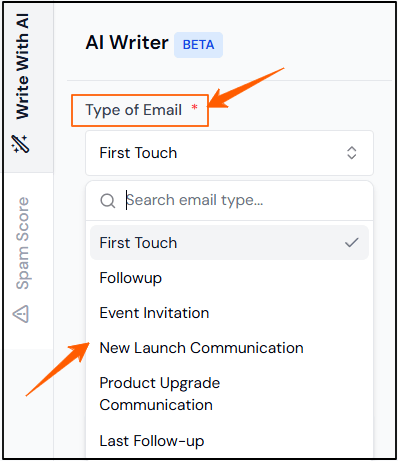
  • AI Writer email generation
  • Outbound calling (per minute)
Monitor your credit balance at any time by going to Settings → Usage Report or clicking Credit Usage in your profile menu. You’ll see a breakdown by data type, provider, and time period.

Next Steps

Once your account is set up and your onboarding checklist is under way, explore these areas of the documentation:
  • Credits — understand how credits are priced, when they’re deducted, and how rollover works.
  • Rewards & Referrals — earn extra credits by referring colleagues and sharing your experience.
  • People Search — learn advanced filtering, saved searches, and bulk unlock workflows.
  • AI Sequences — build multi-phase cadences with AI-generated copy and automated follow-ups.
  • Email Deliverability — warm up new mailboxes and keep your domain reputation healthy.